Bringing visitors to your store is only the first step. Converting them into buyers is what really drives sales.
According to Opensend, only about 1.8 percent of eCommerce visitors convert into buyers, and the rest of the traffic leaves without purchasing.
Most brands believe that bringing traffic is everything, but that is not the case. Where are the sales? Where is the revenue
Shoppers leave your store because something feels unclear, slow, or not trustworthy. There may be a problem with the product image, or the details are incomplete or ambiguous. A lot of factors affect eCommerce sales, especially issues related to product pages, and we are here to solve that problem.
In this blog, we will share 15 eCommerce product page optimization tips that will help you improve conversions, enhance the shopper’s experience, and see measurable results on every product page.
Why Is It Important to Optimize Ecommerce Product Pages?
Product page optimization is essential as most decisions are made right at the product page. Driving traffic to your website is necessary, but what if your product pages are unclear, slow, and unconvincing? No sales, no convincing, and visitors will simply leave without purchasing.
Whereas a well-optimized page builds trust, answers questions quickly, and removes the friction from the buying process.
It also helps your products get discovered. Search engines rely on clear structure, relevant content, and user engagement signals to decide which pages deserve to rank.
When your product pages are optimized for both users and search engines, you increase visibility and conversions at the same time.
- Higher conversion rates
- Better search engine rankings
- Improved user experience
- Increased trust and credibility
- Lower bounce rates
- More qualified traffic
In short, optimizing your ecommerce product pages turns traffic into sales and ensures every visit has a better chance of becoming revenue.
15 Tips for Optimizing eCommerce Product Pages to Increase Sales
If you have a high-performing product page, it surely does more than serve looks to the audience. Answers buyers’ questions quickly, eliminates doubts, and guides shoppers towards a confident decision.
Let’s explore tips for optimizing eCommerce product pages.
Craft Clear and Search-Focused Product Titles
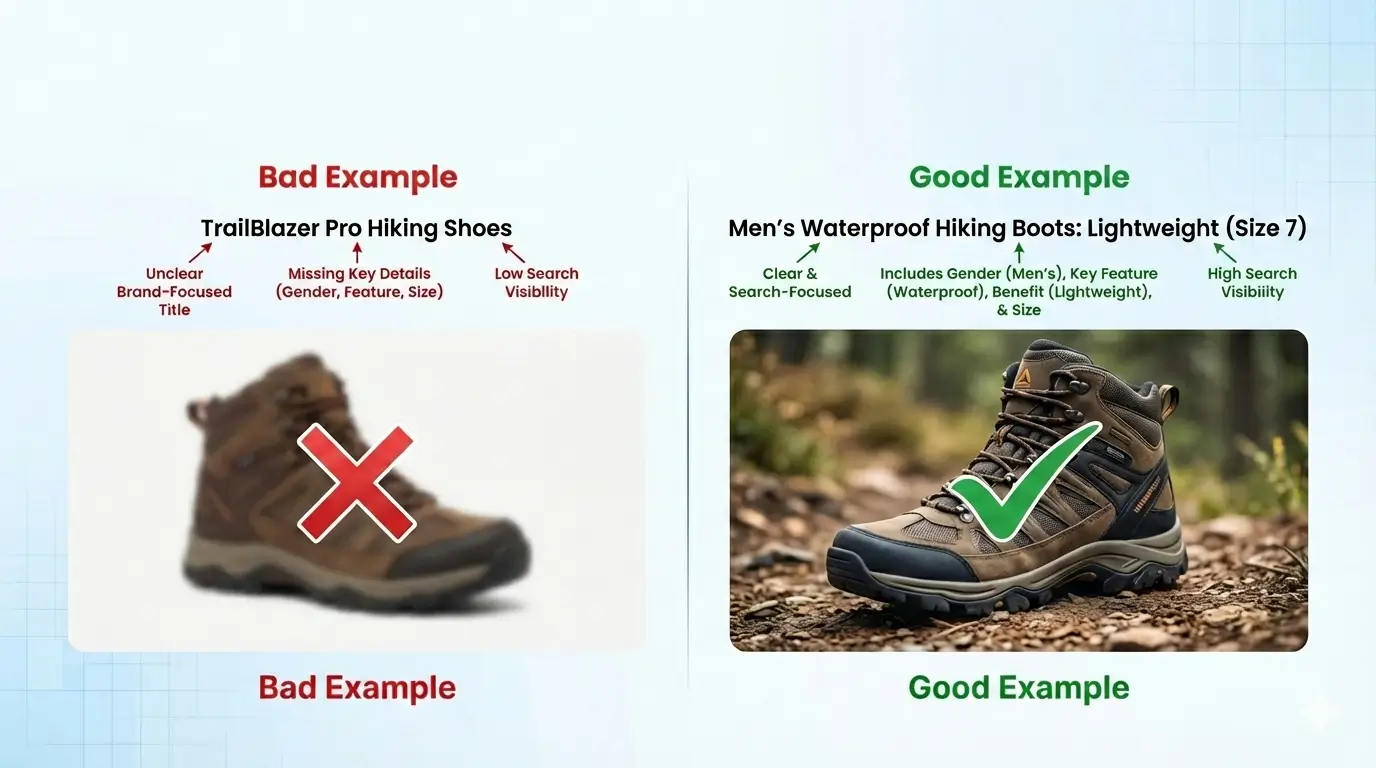
Product title is everything. That’s the first thing that every shopper stops and reads. If it is unclear, shoppers will scroll past your product. It should be clear, on-point, and mention all details. An engaging title balances clarity and search intent. It tells shoppers exactly what the product is, who it’s for, and what makes it different.
Example: “Men’s Waterproof Hiking Boots: Lightweight (Size 7). This title tells everything in the right way instead of writing “TrailBlazer Pro Hiking Shoes.”
Write Product Descriptions That Sell, Not Just Describe
Product descriptions are read by shoppers with higher expectations. Many product descriptions fail because they focus on features instead of showing how the product helps the buyer.
Let’s understand this with an example:
Feature-focused description: 10-hour battery life.
This surely informs the shopper, but it does not answer the fundamental question, “Why should I care?” or “So what?”
Let’s rewrite this by adding benefits.
Up to 10 hours of battery life, so you can work, stream, or travel all day without charging chaos.
The same feature and specification, but described in a better way that answers all the questions without asking.
Use High-Quality Product Images from Multiple Angles
Images play a vital role in an eCommerce product page, and if shoppers are not able to get a clear idea from the image, your product is already failing. Shoppers value it when the product matches the photos precisely.
High-quality images that reflect the actual product build trust and improve conversions. A balanced approach is key.
What to take care of while uploading a product image?
- Post multiple angles of the product
- Close-up shots for texture or detail
- Lifestyle images showing real use
- Avoid stock-looking pictures
- Always choose authentic pictures, rather than overly edited ones

Add Product Videos to Improve Buyer Confidence
Product videos are highly effective in answering buyers’ questions. They show how the product is used and how it benefits the buyer. Thirty seconds can do wonders, and you can include;
- A quick product walkthrough
- A demo of how it works
- A customer using it in real life
The outdoor fire pit brand, Solo Stove, clearly shows the product in action in the video below. It shows how it works and what you can do with it, clearly helping shoppers to visualise the use and build confidence before buying.
Display Pricing Transparently Without Hidden Costs
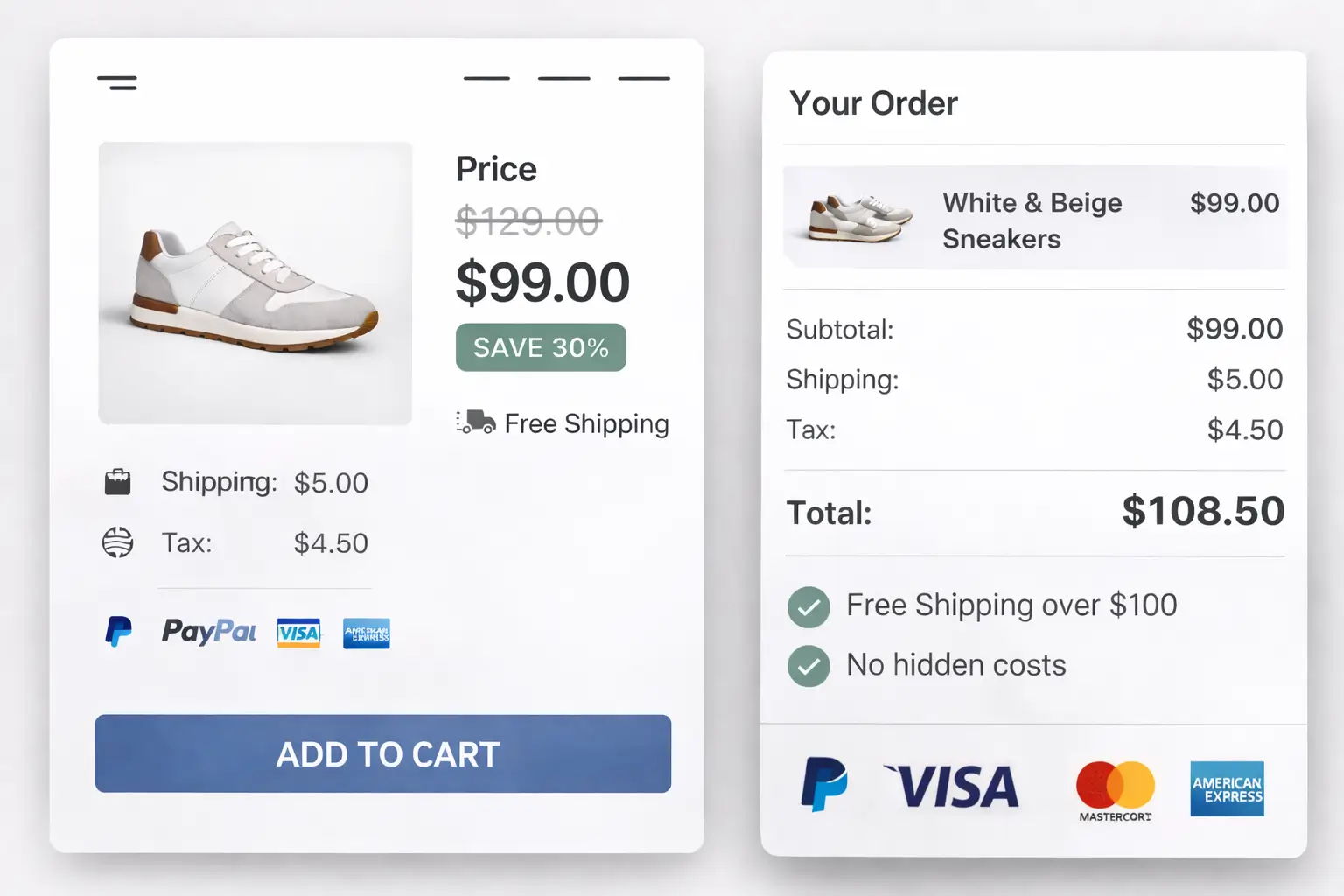
Hidden costs at checkout are a major reason shoppers abandon their carts. Shipping taxes, add-on costs, and other costs cause shoppers to leave the site at the last step. The product page must clearly show;
- The right and base price of the product
- Discounts and offers
- Shipping and other tax costs
- Multiple payment options
Transparent pricing reduces hesitation and helps shoppers make confident decisions.
Highlight Unique Selling Points Above the Fold
Scrolling should allow users to explore more products, not to figure out what your product is. The most essential benefits should be highlighted above the fold, where buyers focus their attention. It should explain why your brand exists and why the product is worth buying.
It’s simple: when you tell people why you exist, the brand sells itself.
One of the well-known brands, “Warby Parker,” has directly stated its USP on the home page, which tells much about the unique experience they provide to their buyer. They have highlighted the ability to try on eyeglasses at home for free before making a purchase.
What happened here?
- The USP was highlighted, which made the brand unique
- Provide an easy and hands-on experience for shoppers
- Communicates the core benefit and addresses the main friction points in online eyewear shopping
Optimize Call-to-Action Buttons for Visibility and Clarity
The call-to-action is a crucial element that drives sales and clearly guides buyers. Several factors determine the optimal placement of a call-to-action. In short, a call-to-action should make it easy for buyers to take the next step toward purchase.
What can you do?
- Ensure the CTA is clear and action-driven
- Keep the button text short, yet it should explain everything
- CTA should be visually appealing for buyers
- The content, intent, and CTA placement should match
- Test, what turns out to be more attractive from a buyer’s perspective
Also, place CTAs near key decision points, for example, right after pricing or reviews. When intent is high, the action should be obvious.

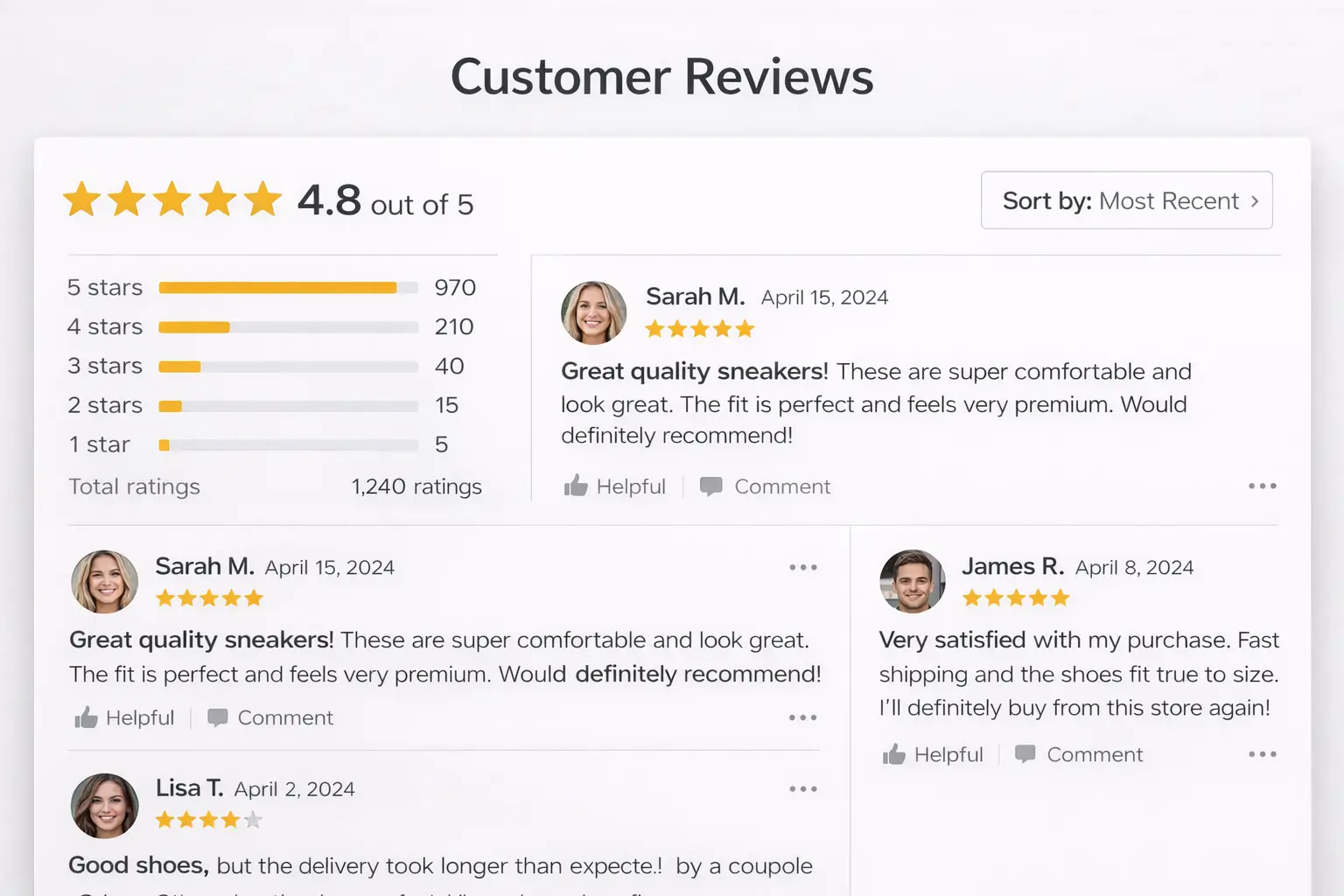
Include Customer Reviews and Ratings for Social Proof
First-time buyers will always trust past buyers’ reviews and experience more than what you claim for your brand. Your existing customers influence sales in ways that are often not immediately visible. It clearly gives honest reviews about your product, good or bad, and almost 93% of customers read online reviews before making a purchase.
This data highlights the importance of reviews in the purchase decision.
- Whether the product is worth the money
- What problems did they face while ordering and receiving
- Quality of product and much more
So, it is suggested to post the reviews, testimonials, and ratings as it builds the overall brand reputation. Do not be afraid of negative reviews; address them promptly and ensure the issue does not recur.
Add Structured Product Specifications for Quick Scanning
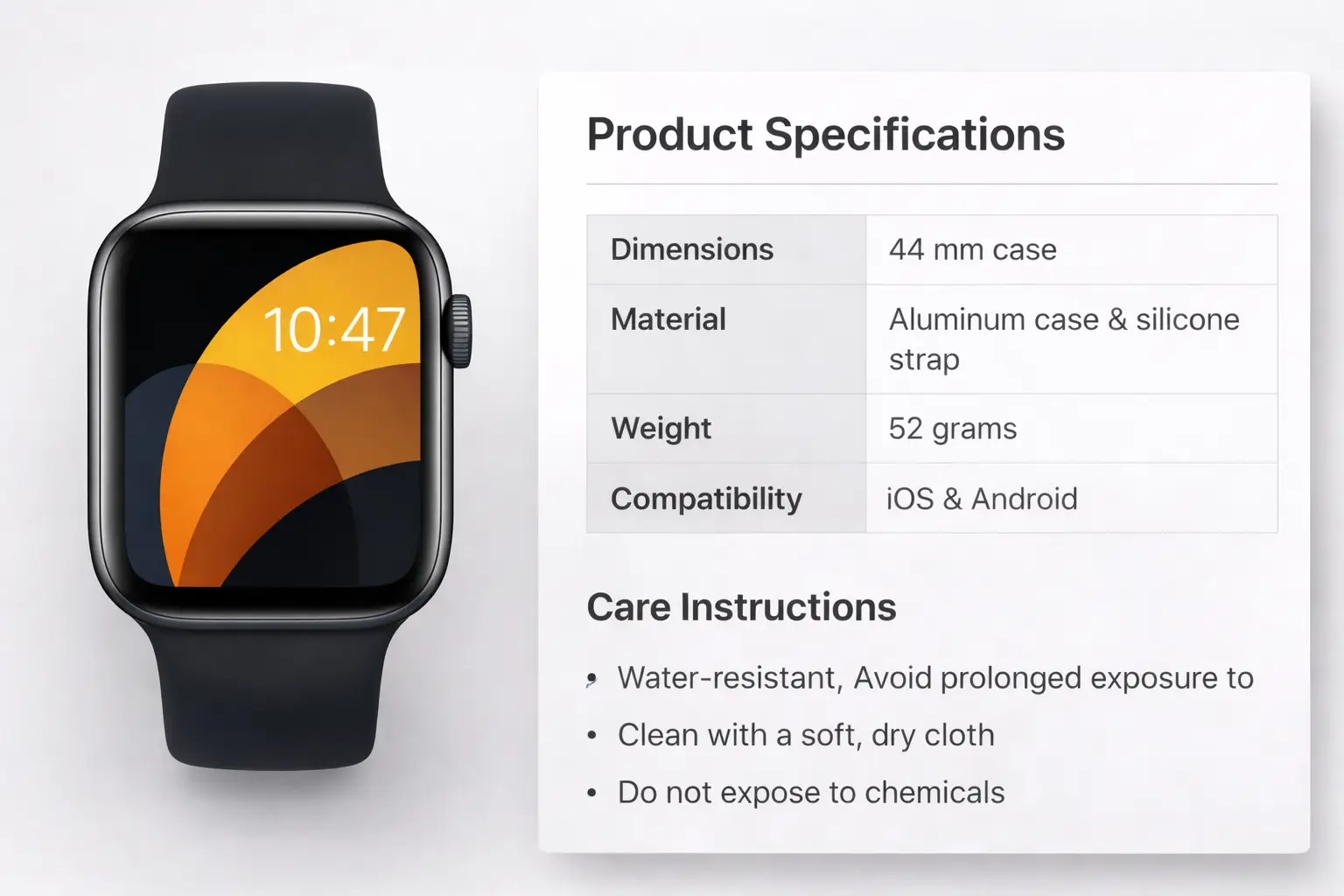
Shoppers want to shop quickly, and no one wants to read long descriptions or specifications. Product specifications should be easy to read and scan with neat formatting, so it becomes easier for buyers to glance and make a decision on purchasing.
This approach works well for electronics, furniture, and apparel, as it allows buyers to see the product details without extra reading. Include only the essential product features.
Use a simple table or bullet list of:
- Dimensions
- Materials
- Weight
- Compatibility
- Care instructions
Optimize Product Pages for Mobile Users
Most of the online shopping happens from mobile phones. If the product page is not mobile-responsive, you risk losing a large portion of potential sales, as 70.92% of all ecommerce site visits come from mobile devices worldwide.
The solution is thorough testing, reviewing the page repeatedly on mobile to ensure usability.
A quick pointer to check.
- Quick image loading
- Readable text
- Easy checkout buttons
- Quick transition from one page to another
- Easy payment solutions
- Intuitive and straightforward design to avoid confusion
Always review your product pages on an actual phone, not just a desktop preview.
Improve Page Load Speed to Reduce Drop-Off Rates
Slow-loading pages prevent customers from returning. If your page takes too long, who would want to shop from your brand? Shoppers will leave before they even see or go through your product. Page speed directly affects user experience, trust, and ultimately sales. From an SEO perspective, slow pages can hurt search rankings.
So what you should focus on:
- Compress images without sacrificing quality
- Remove unnecessary scripts and heavy elements.
- Use fast reliable hosting service
- Enable browser caching
- Minimize redirects
A faster page keeps users engaged, reduces bounce rates, and improves overall sales performance.
Use SEO-Friendly URLs, Meta Titles, and Descriptions
Good SEO enhances visibility and builds trust with both search engines and users. SEO-friendly URLs and metadata help both search engines and users, which helps in a better understanding of the product.
Key SEO best practices include:
- Usage of short, readable URLs with product keywords
- Avoiding random numbers or symbols
- Writing clear meta titles that describe the product and its benefit
- Adding meta descriptions that encourage clicks, not just rankings
Enable Easy Navigation with Breadcrumbs
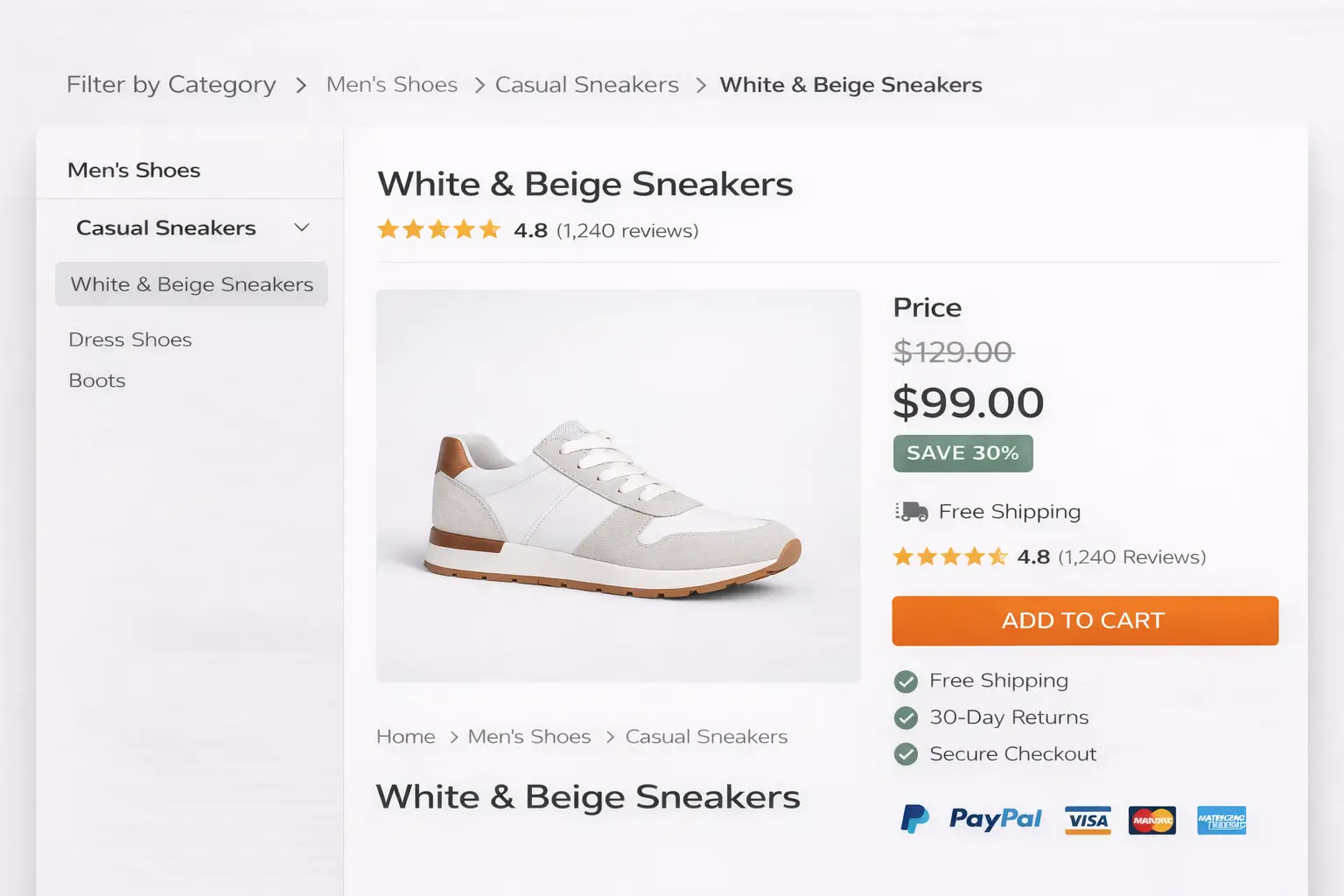
Breadcrumbs help users understand where they are on your site and how to navigate back without frustration. This is especially useful for ecommerce sites with multiple categories and filters.
- Benefits of using breadcrumbs:
- Improves site navigation and usability
- Reduces bounce rates
- Helps users explore related categories easily
- Supports better internal linking for SEO
Effortless navigation encourages shoppers to stay longer and explore more products.
Leverage Cross-Sell and Related Product Suggestions
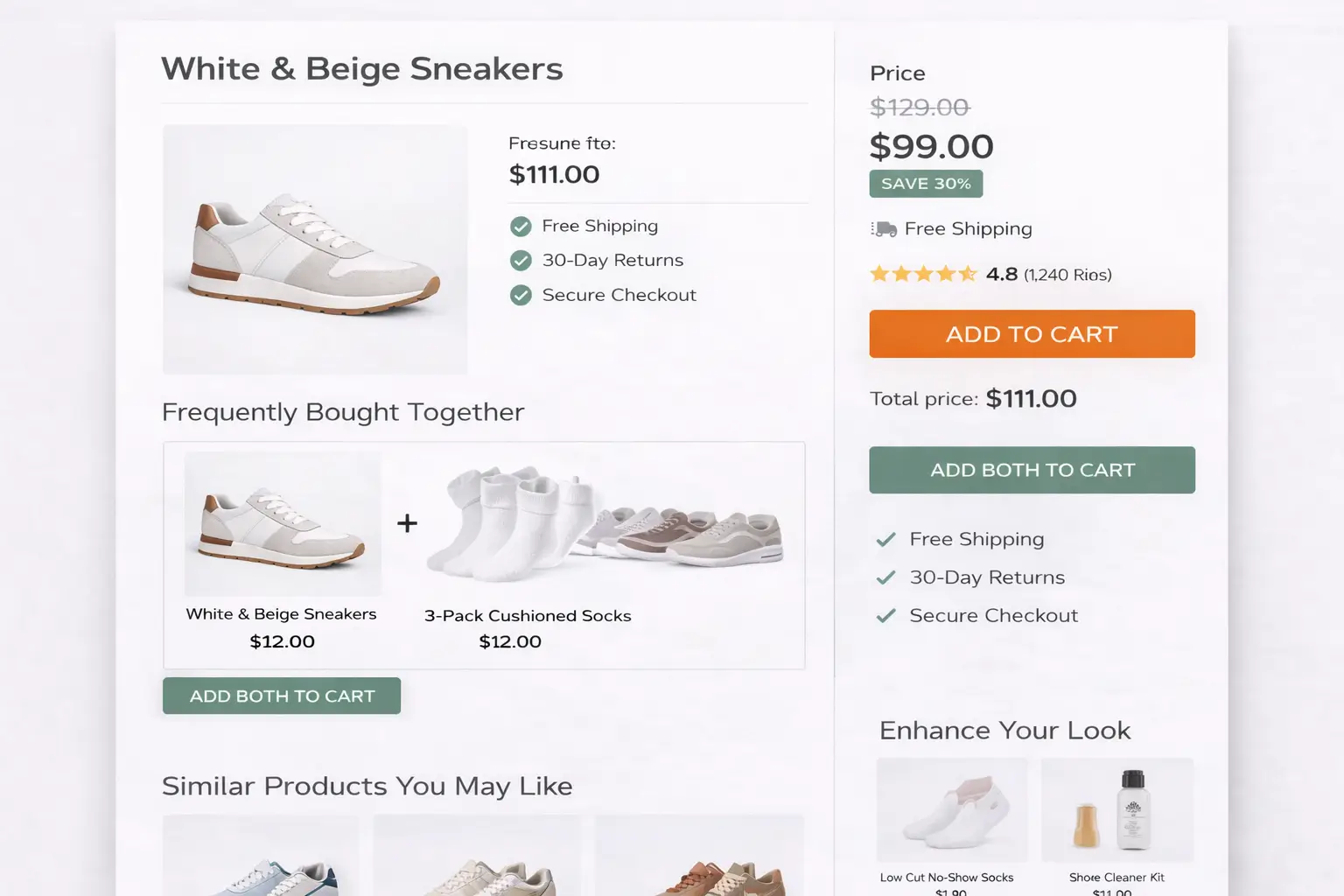
Product pages should guide shoppers to related products instead of working in isolation. Suggesting related or complementary products increases average order value and improves the shopping experience.
- You can include:
- “Frequently bought together” items
- Similar products in different price ranges
- Accessories or add-ons that enhance usage
Related product suggestions should feel helpful, not pushy. When done right, they guide buyers toward smarter purchases.
Build Trust with Clear Return, Shipping, and Payment Information
Trust is a key factor, particularly for first-time buyers. Unclear policies create hesitation and abandoned carts.
Make sure your product page clearly displays:
- Return and refund policies
- Shipping timelines and costs
- Accepted payment methods
- Security badges or payment assurances
Transparency removes doubt and makes buyers feel safe, increasing the likelihood of completing the purchase.
Final Words
Optimizing the eCommerce page simply means it should be user-friendly. From a first-time shopper to a seasoned buyer, everyone should be able to navigate your brand page without confusion. Every page should provide details that help shoppers understand the product, build trust in the brand, encourage repeat purchases, and make confident buying decisions.
This happens when the practices outlined above are followed consistently. When the content is straightforward, and the visuals accurately represent the product. Even the best products can fail if these practices are not implemented.
Well, we don’t want that for you.
That’s why this guide highlights proven eCommerce product page optimization practices that put buyers first.
If you’re looking to improve how your product pages perform or need expert guidance on optimizing your website experience, you can always contact us for the right direction and support.
Effective product pages don’t just drive conversions; they strengthen your brand.