


Adobe Commerce B2B Features: What Magento Gives You Natively, and Where Custom Work Starts

Category
Digital Marketing

Do you need help with the Google Shopping Campaigns for your online store? Do you want an answer to how to optimize Google shopping ads? Don’t worry, you are not alone.
Many small to big eCommerce store owners face challenges regarding Google shopping campaigns. Therefore, leveraging the proper optimization strategies helps you reach your potential audience and improve sales and conversions.
Think of Google shopping campaigns as your digital statement. Similar to placing products at the right places in a brick-and-mortar store, your online store requires you to fine-tune product feeds, adjust bids, and leverage data-driven insights to elevate your campaigns. With these, you can improve your store’s visibility to reach the right audience, ultimately increasing sales and conversions.
In this blog, we’ll explore effective strategies for optimizing your Google Shopping campaigns and actionable tips for enhancing your campaign’s efficiency and success.
So, let’s get started.
11 Strategies to Optimize Google Shopping Campaigns
Here we have researched how to optimize Google shopping ads and prepared a list of the most trending and relevant strategies.
1. Add Detailed Info to Your Product Feed
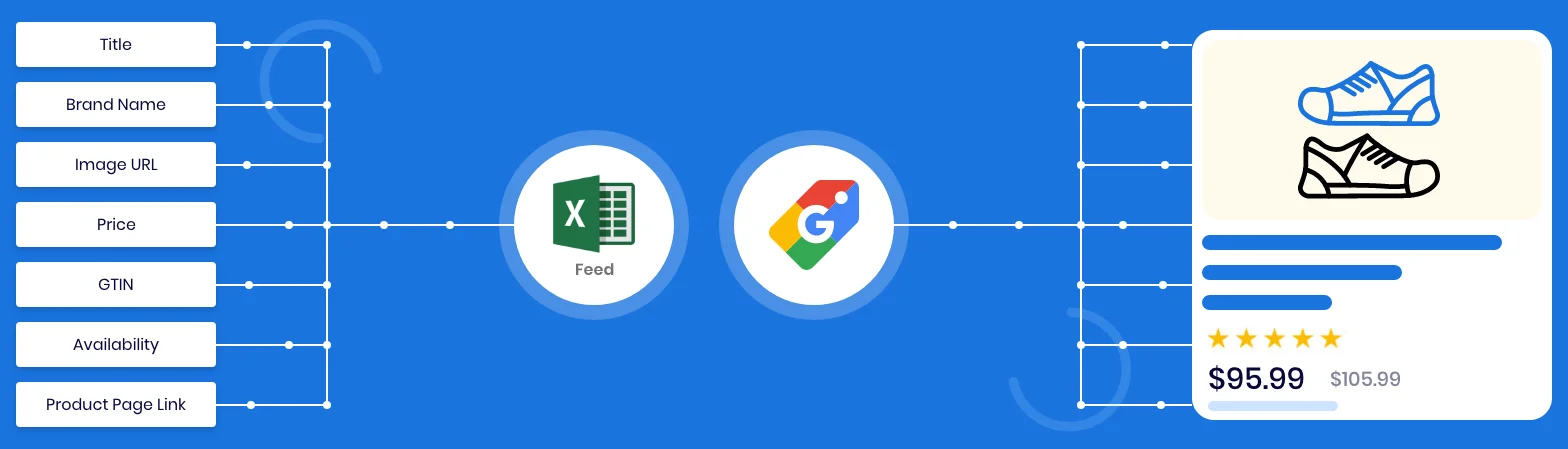
The most important thing you can do to enhance the Google Shopping Campaigns is to integrate the right information in the product feed. Accurate product information increases the chances of attracting the right customers. Imagine your product feed as a digital catalog, which needs to be extensive and enticing.
Start by adding all information about a product, such as title, description, prices, and availability. However, you shouldn’t stop here. Focus on adding more details about the product, such as the color, material, or brand. All these things allow Google to match your products to the relevant search queries, thus boosting search engine visibility.
Here, rather than adding a lot of keywords, your primary focus should be on adding clear, concise, and valuable information in the title and description that helps users make shopping decisions. Ultimately, enriching your product helps you not only to enhance Google Shopping performance but also to offer a better shopping experience to customers.
2. Improve Your Product Feed Data

Your product data is the most valuable asset for your Google Shopping campaigns. Therefore, ensure that your data is accurate and compelling and that it directly communicates with your potential customers.
It all starts with auditing your current product feed. Check whether the title and description are clear enough and provide valuable information to the users. Secondly, check product data for missing elements, improper prices, and outdated availability status.
After auditing your data, it’s time to optimize it as per the search engines. Integrate relevant keywords into the title and description — a key strategy in effective Google Shopping feed optimization that helps align your listings with user intent and search algorithms.
In the end, consistently updating your with accurate data will keep your campaigns running smoothly and effectively, ultimately improving your overall performance and increase sales.
3. Utilize Negative Keywords

Have you ever thought about why you are not getting sufficient results even by spending a hefty amount on Google Shopping ads? That’s because of the negative keywords. It’s time to optimize your Google Shopping ads in a way that it appears in the relevant searches.
Analyze all the search term reports to identify keywords that are not performing as per the goal. Here, you need to consider all the queries that aren’t converting or aren’t relevant to your products. Add all of these negative keywords to the list so that they don’t appear whenever someone searches in Google. Plus, it is recommended to include variations and misspellings also.
Please note that your work is not over with one-time optimization. It is an ongoing process where you need to identify and exclude negative keywords from the search results regularly. Ultimately, reducing the irrelevant clicks helps you to enhance relevance and CTR and reach the right customers.
4. Use High-Quality Product Images
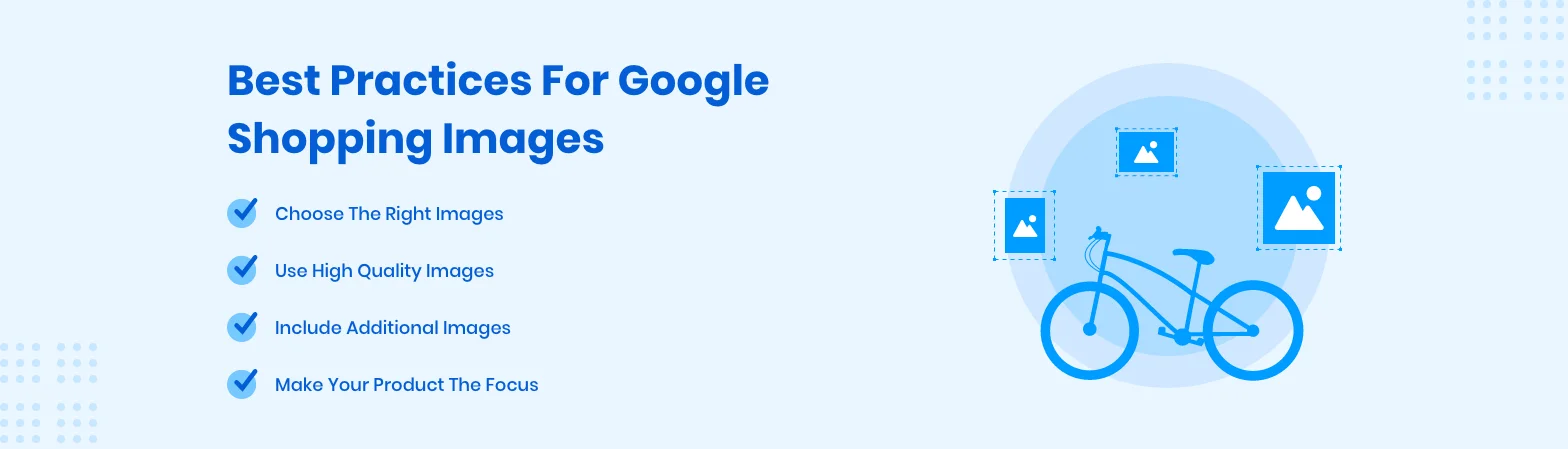
Whenever you consider online shopping, product images are the first thing people notice before anything else. Therefore, it is a need of an hour to have clear and professional images that get the user’s attention and create a positive first impression. While adding product images, ensure that they are visually appealing and in high resolution, presenting your products from multiple angles.
Never use very cluttered backgrounds; instead, leverage a clean and simple background that emphasizes highly on the product. Maintain consistency in your product images so that they represent your brand effectively. Include the lifestyle shots of your product if possible as it triggers users to purchase and use your products.
In the end, high-quality images are not just for beautifully representing your product but also for building trust among customers. They represent that you are a well-known seller in your industry. In addition, they help to enhance CTR and overall shopping experience, thus improving conversion rates.
5. Structure Campaigns Strategically
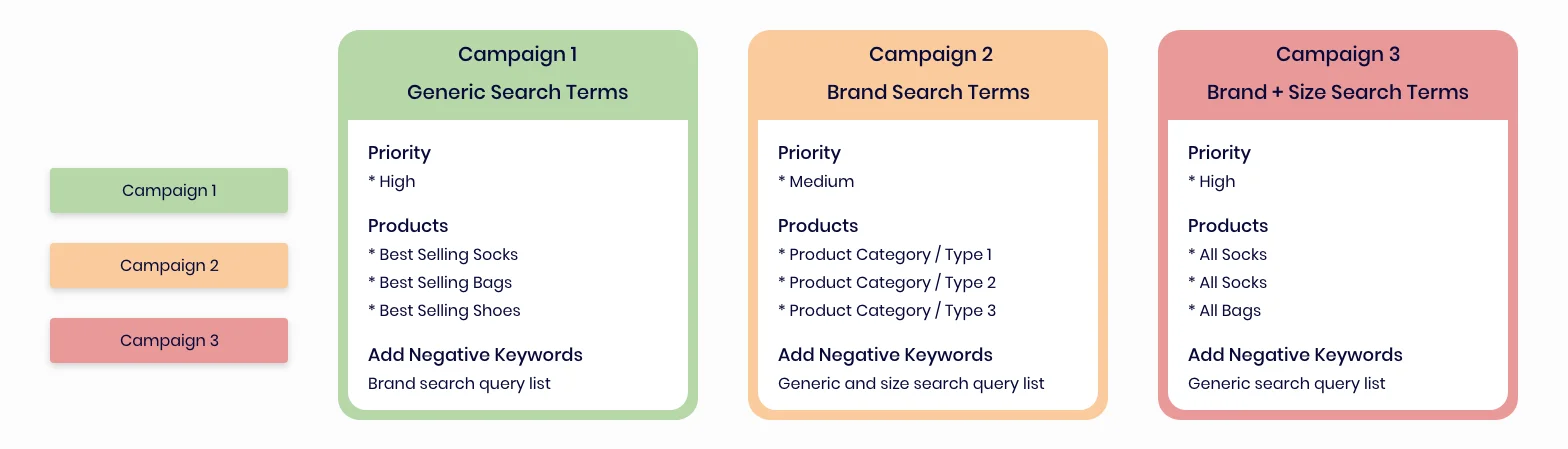
Structuring your campaigns is one of the most effective ways to leverage Shopping ads. Moreover, you can consider it as a digital shelf from where customers can view and buy products online and you get maximum output from it.
A highly optimized campaign offers more freedom regarding budget and bidding. It allows you to set different bids for multiple products, thus catering to their unique profit margins, popularity, and conversion rates.
To begin with, you should segment your products based on categories or groups. These could be brands, condition IDs, product types, custom labels, profit margins, or bestsellers. Segmentation even lets you go one step further, which means allocating the budget more effectively and setting bids according to the group’s performance and potential.
And the best thing, you even get an option for priority settings. What’s that? It means you can set campaigns so that more essential products or best-performing categories get high priority for bids on impressions. But it’s not the end. You can analyze your bids at regular intervals and make modifications to them as per the performance data.
6. Apply Custom Labels

Custom labels are the most robust weapon for enhancing your Google Shopping campaigns. These labels allow you to divide data into smaller parts, which makes the most sense for your business.
Think about the most crucial attribute that fits well with your strategy. Is it seasonality, promotional offers, bestsellers, or high-margin items? Leverage custom labels to group products depending on the criteria. This gives you more control over the bids and budgets so that you can allocate resources to the category that drives the maximum return.
Remember that no labels are static. Depending on your business needs, you can modify the labeling strategy. This ultimately allows your campaign to change according to market trends, deliver better results, and achieve the desired ROI.
7. Develop a Strong Bidding Strategy
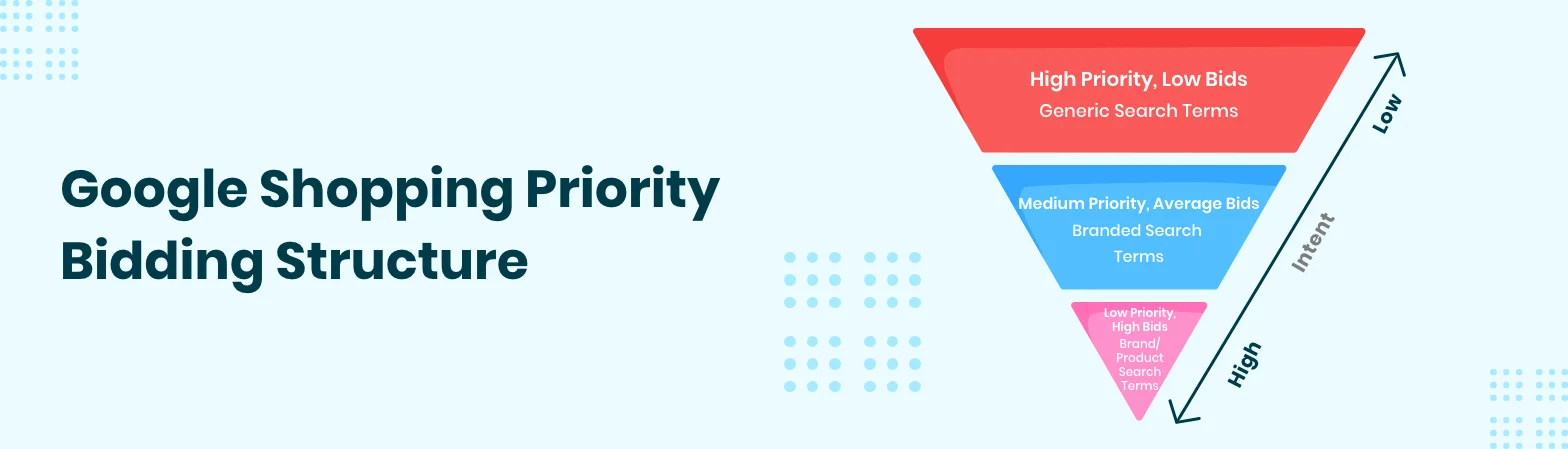
Your bidding strategy will play a pivotal role in the success of your Google Shopping Campaigns. Your primary purpose should be to find a spot where setting bids provides a high return on investment.
Start by analyzing your product performance data. Have a close look at the performance metrics, such as click-through rate, conversion rates, and average order value. It’stime to start working on your bidding strategy.
You can consider implementing a tiered bidding approach. The main thing here is to keep lower bids for generic search terms and progressively higher bids when it comes to branded and product-specific terms. It gives you more power to adjust costs along with making sure your ads are visible at the right places in search engines.
Besides this, you can even implement automatic bidding strategies such as Target ROAS and Target CPA to get the maximum conversions from your bids.
Please note that bidding isn’t just a one-time task. You need to regularly monitor and adjust bids as per performance metrics, market trends, competitor actions, and changes in business. The main rule of thumb here is to be always ready to make changes to get the desired results.
8. Tailor Messaging for Each Funnel Stage

In Google Shopping, there is no one-size-fits-all messaging that works for messaging. You need to play around with your words while messaging people at different stages of their buying journey.
At the top of the funnel, emphasize more on building awareness and product discovery. Spotlight the primary features and benefits and keep competitive pricing to gaugeattention of users.
In the middle of the funnel, you need to refine the messaging, considering the customers’ needs and issues. Here, focus on inserting a detailed product description and frequently asked questions that answer all the customers’ questions.
At the bottom of the funnel, a prospect is ready to buy and therefore, you should focus on creating urgency and value to close the sale. Provide multiple offers, discounts, promotions, etc., to encourage immediate purchases from customers ready to buy.
9. Maximize Standard Campaigns
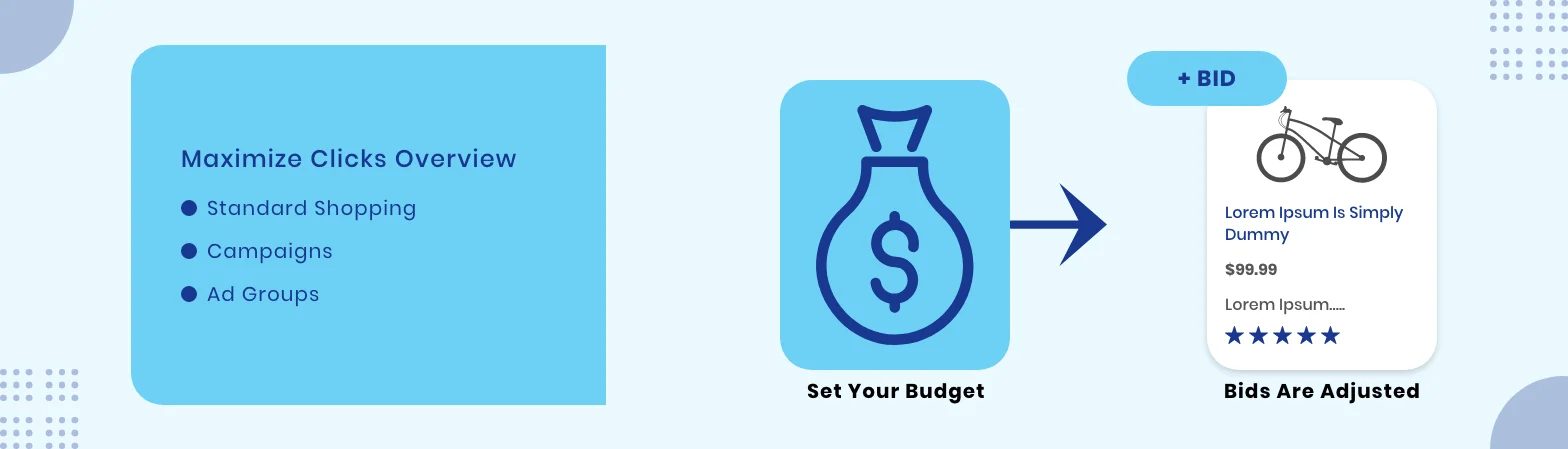
Standard shopping campaigns are the force behind many successful Google shopping strategies. They have the power to provide you with the desirable outcome.
To begin, you should organize your product into appropriate groups. This provides you with more tailored-specific bidding and budget allocation. The main thing here is to ensure all the products get the required attention as per their performance.
Leverage negative keywords to filter out all irrelevant traffic and emphasize spending more time on high-intent searches. This will enhance the efficiency of your campaigns.
Analyze your search report thoroughly on a regular basis. Here, you should emphasize modifying product titles and descriptions. Plus, you should consider device bid adjustments.For instance, you are obtaining the desirable output on mobile and adjust the bids accordingly.
10. Test Performance Max Campaigns
Performance Max Campaigns have been introduced just a few years ago. These campaigns combine machine learning with business objectives to drive suitable results.
The best thing is that these campaigns allow you to find customers throughout the entire Google network, apart from Shopping. Moreover, by running these campaigns alongside standard ones, you can compare them and identify all the areas of improvement. If you’re transitioning from Smart Shopping or unsure which to use, understanding the key differences between Smart Shopping and Performance Max can help guide your strategy more effectively.
To start with, decide your goals, and offer the required media and content, and Google AI will do all the things for you. It will optimize your ads for Search, Display, YouTube, Gmail, and more.
However, your work is not over. Analyze the performance effectively and provide high-quality assets. Even though Performance Max offers less control over the Standard campaigns, you can review and refine the campaigns to find when they provide excellent performance. Further, you can allocate a budget to the most suitable strategy to drive better results.
11. Optimize Product Pages for Conversions
Google Shopping ads get the initial stage for your journey. After the shoppers click through a link and reach the product page, the actual work starts here. These pages can make or break your business goals.
Start with a clear, effective, and compelling product title and descriptions. Then, mention all the primary features, include frequently asked questions to address users’ queries, and display the benefits of the products. Integrate high-quality images of products from different angles and also include videos for complex products. And please remember to include the customer reviews. All of these things improve search visibility, lets you build trust, and offer an in-depth view of the product, increasing the likelihood of the purchase.
Integrate powerful calls-to-action buttons, offer seamless navigation, and ensure quick loading through the entire checkout process. In the end, a highly optimized product page delivers a top-notch shopping experience to users and drives conversions.
Conclusion
Mastering how to optimize Google Shopping Campaigns is essential to drive business growth. We have covered some of the most used and powerful strategies, right enhancing product feeds and utilizing negative keywords to structure campaigns strategically and leveraging Performance Max Campaigns. By wholeheartedly implementing these tactics and refining your approach more frequently, you can improve campaign performance, get more ROI, and take your business to a new level.
We provide Google shopping ads management services for businesses of all sizes, so we know what works well for each business. First, we understand your business goals and market conditions. Then, we implement the right set of optimization strategies for Google Shopping Campaigns to drive the best results.





