
Is Your eCommerce Store Affected by PHP2Shell? Check Your Platform

Category
Magento

Magento is one of the leading eCommerce platforms across the globe. It is written in PHP and owned by Adobe. Hence, it is known as Adobe Commerce.
Many businesses worldwide have created their eCommerce store using Magento. With the changing times, every business needs to upgrade its eCommerce store to provide a better experience to users and generate good revenue.
If you also have an eCommerce store on Magento 1 and are planning to upgrade it to Magento 2 and are worried about its cost, you have reached the right place.
WebDesk Solution is a certified Adobe commerce partner. We have helped small to big eCommerce stores migrate from Magento 1 to Magento 2. Hence, we are familiar with the Magento migration cost.
Here, we have given the estimated Magento 1 to Magento 2 Migration cost considering the three essential factors. These include components in the Magento 1 to Magento 2 Migration, the selection of a Magento company, and different types of Magento migration services.
Let’s look at all of these things in detail.
Which Magento Migration Are You Actually Paying For?
Three very different projects get called a Magento migration, and they cost very different amounts. Find your row before you read any price.
| Your situation | What the project is | Range from the costs on this page |
|---|---|---|
| Still on Magento 1 | Full rebuild on Magento 2. Themes, extensions and custom code all have to be redone. | $5,000 to $26,000, more for enterprise |
| On Magento 2, but on an old version | Version upgrade plus extension compatibility work. No rebuilding. | $2,000 to $15,000 |
| Leaving Magento | Replatform to Shopify, Shopify Plus or another platform. Rebuild plus data migration. | $6,000 to $35,000, more for enterprise |
| Magento Open Source to Adobe Commerce | Licence plus cloud setup. The code mostly carries over. | Licence quote plus setup |
Everything below covers the first case in detail, because it is the most involved. The two sections after it cover version upgrades and the move to Shopify.
Components of Magento 1 to Magento 2 Migration
There are seven components of migration. They are as follows:
- Theme Migration
- Custom Function Migration
- Extension Migration
- Data Migration
- Settings Migration
- Magento License
- Other Costs
Let’s go through them.
1. Theme Migration
An attractive theme is essential for improved eCommerce user experience. Magento offers some ready-made themes, or you can create a custom theme. When it comes to theme migration, there are three ways to migrate your Magento store from version 1 to 2.
1. Ready-made theme
If you have a low budget and are looking for a cost-effective option, you can go with a ready-made theme. There are many ready-made themes available in the market for different niches.
The price of the themes ranges between $50 to $500.
If you don’t know how to install or configure a theme, you can hire a Magento developer. The professional will configure the theme for $750 to $1500.
In the end, the total cost of ready-made theme migration will reach around $1,500 to $2000.
If you want to customize the theme, it will cost $500 to $5,000.
In case you are looking forward to reducing the cost, you can not update several essential elements, such as color, banner, etc.
2. Theme with a Similar Design as Magento 1
In this option, the design of your Magento 1 and Magento 2 websites would be the same.
The timeline required to build a theme like Magento 1 would be around 1 month. The price would be about $1,000 to $10,000. It depends on the design complexity.
3. Create a New Theme from scratch
If you don’t have any issues with the budget, you can go with this option, like a custom design for the Magento 2 store.
To create a theme from scratch, consider hiring a Magento developer. He/She would integrate necessary functions into the new theme and migrate your eCommerce website efficiently.
Creating a new theme from scratch would cost around $5,000 to $10,000 depending on the specific requirements and the level of customization you need.
2. Custom Function Migration
The overall cost of the custom function migration from Magento 1 to Migration 2 is similar to the Magento extension.
As an eCommerce store owner, you can look for extensions that offer the same function as the Magento 1.
Besides this, you can also hire a Magento developer to build a custom function for your Magento store. However, there is no fixed cost to create a custom function. It depends on the project requirements.

Need Help With Building a Custom Function for Your Magento Store?
Look no further than us to build a custom function for your online store, as we offer seamless Magento development services.
Contact Us3. Extension Migration
Being an eCommerce store owner, you should know that you can’t utilize the same extension that you have used before in Magento 1.
You have two options to migrate your extensions from Magento 1 to Magento 2. They are as follows.
Purchase & Install The Latest Extensions Available Online
Magento 2 provides the same extensions as Magento 1. Hence, you need to replace the old extensions with the new ones.
The price of the Magento extensions ranges between $50 to $500. Apart from this, there are several extensions for the Multiple-Vendor experience; merchants need to pay around $1,000 to buy a new extension.
There is also the cost of installing and configuring the extension. It depends on how many extensions you want to integrate into your Magento 2 store.
Generally, the cost to configure and install an extension is between $500 to $1000. For instance, if you want to install 5 extensions, it will cost between $2000 to $5000. (3 to 6 weeks)
Further, the price of the level of customization you need for a Magento extension and the Magento 2 migration cost will increase.
Build Custom Functions
Sometimes, you will not be able to find the desired extension online. In such cases, you should hire a Magento developer. The cost to develop an extension depends on the complexity.
4. Data Migration
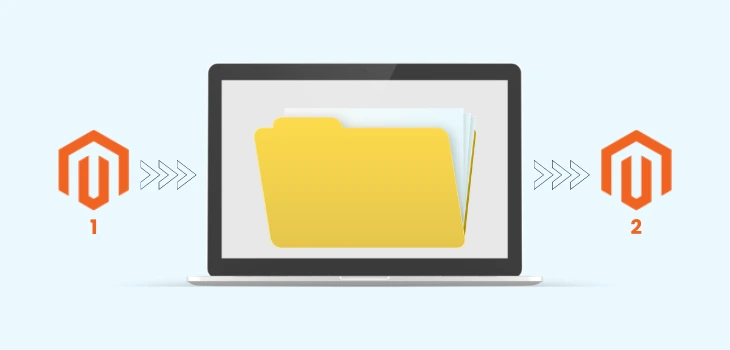
Data migration involves migrating some essential things like customer accounts, product details, orders, store configurations, etc.
If you lack knowledge about data migration, the most effective way to migrate your data is to hire a Magento development company.
These Magento development companies mainly charge for data migration in two ways.
Firstly, the companies charge for data migration depending on the total amount of data that needs to be transferred. This method would be suitable for startups and small companies.
Secondly, the Magento companies provide data migration services at a fixed price regardless of the total amount of data that needs to be transferred.
The cost of migrating data from Magento 1 to Magento 2 starts from $500. Further, the cost depends on the amount of data to be transferred.
5. Settings Migration
Migrating settings from Magento 1 to Magento 2 is quite simple. In settings migration, merchants can migrate email templates, language, payments, tax settings, shipping, etc. The cost to migrate settings from one store to another is around $1000. (1 Week)
6. Adobe Commerce License
Adobe had acquired Magento. Hence, it is called Adobe Commerce.
Adobe sells three commercial products today. Adobe Commerce on Cloud is the single tenant PaaS that most current merchants run. Adobe Commerce as a Cloud Service is the newer multi tenant SaaS version. Adobe Commerce Optimizer is a storefront and merchandising layer that sits on top of another transaction engine.
Magento Open Source is still free and still the self hosted option, so you pay only for hosting. The paid enterprise platform editions carry no published price at all. Every one of them is quote based, and Adobe scopes the number to your revenue and requirements.
One detail matters if you are considering the SaaS version. Adobe Commerce as a Cloud Service does not support Luma storefronts. If you are on a Luma theme today, that is a full front-end rebuild on top of the licence, not a lift and shift. Adobe documents this in the Adobe Commerce as a Cloud Service overview, and the quote based pricing is confirmed on the Adobe Commerce pricing page.
7. Other Costs
You need to consider several additional costs for migrating your store from Magento 1 to Magento 2. These include consultation, store setup, and management.
Post migration, invest in optimizing Magento speed, because slow loading times can undo the benefits of upgrading.

Where Magento actually stands in 2026. Platform tracker StoreLeads counts 102,875 live Magento stores, down about 14 percent year over year. Over the last 90 days Magento lost 1,579 merchants to other platforms and gained 1,126, with 470 of the leavers going to Shopify against 104 coming back the other way.
So, there’s no need to switch the platform after Magento 1’s end. Just migrate your store to Magento 2 with our hassle-free Magento migration services.
So What Does the Whole Migration Add Up To?
Those seven components are the answer, but nobody wants to add them up themselves. Here they are totalled, using the exact figures quoted above and nothing else.
Small store, ready made theme
| Component | Cost from this page |
|---|---|
| Ready made theme, bought and configured | $1,500 to $2,000 |
| About 5 extensions, installed and configured | $2,000 to $5,000 |
| Data migration | From $500 |
| Settings migration | About $1,000 |
| Total | $5,000 to $8,500 |
Mid sized store, custom theme
| Component | Cost from this page |
|---|---|
| Theme matching your Magento 1 design, or built from scratch | $1,000 to $10,000 |
| Theme customisation | $500 to $5,000 |
| About 10 extensions, installed and configured | $5,000 to $10,000 |
| Data migration, larger catalogue and order history | From $500 |
| Settings migration | About $1,000 |
| Total | $8,000 to $26,000 |
Custom function migration sits on top of both totals and has no fixed price, because it depends entirely on what was built for your Magento 1 store. That single line is what separates a $26,000 project from a $60,000 one, which is why any quote that skips it is not a real quote.
Already on Magento 2? Check Your Version Before You Budget Anything
Most people searching for Magento migration cost in 2026 are not on Magento 1 at all. They are on Magento 2, on a version that has quietly stopped receiving security patches, and their host or auditor has just told them so.
Magento 2.4.6 reached the end of regular support on 11 August 2026. Extended support runs to 31 August 2027, and then it is done. The current release is 2.4.9, which came out on 12 May 2026 and is supported to May 2029. Adobe publishes all of this in its software lifecycle policy.
| Version | Released | Regular support ends | What to do |
|---|---|---|---|
| 2.4.9 | 12 May 2026 | May 2029 | Target this |
| 2.4.8 | 8 April 2025 | May 2028 | Safe for now |
| 2.4.7 | 9 April 2024 | May 2027 | Plan the upgrade this year |
| 2.4.6 | 14 March 2023 | Ended 11 August 2026 | Upgrade now, extended support ends August 2027 |
| 2.4.5 and older | 2022 and earlier | Already ended | Unsupported, upgrade or replatform |
A version upgrade is a much smaller job than a Magento 1 rebuild. The theme usually survives. The cost is concentrated in three places: extensions that have no compatible release, custom modules written against deprecated code, and the PHP and database version bumps that come with the newer release. Using the same $500 to $1,000 per extension figure quoted earlier on this page, budget $2,000 to $15,000 depending on how many third party extensions you run and how much custom code sits on top.
The trap is running an unsupported version because it still works. It does still work. It also stops receiving security patches, and card data on an unpatched store is a compliance problem long before it is a technical one.
What Does It Cost to Move from Magento to Shopify?
This is the question we get asked more than any other on this page, and the honest answer is that it costs roughly what a Magento 2 rebuild costs, because you are paying for the same things either way. The table below uses the same component prices quoted earlier so the two columns compare like for like.
The platform licence is the smallest line in the budget. What you actually pay for is the theme build, the integrations to your ERP, PIM, tax and shipping systems, the data migration, and the redirect map that protects your search rankings. Those five items exist whichever platform you land on.
| Line item | Magento 2 rebuild | Shopify or Shopify Plus |
|---|---|---|
| Platform licence | Free on Open Source, quote based on Adobe Commerce | $39 to $2,300 per month depending on plan |
| Hosting and infrastructure | Yours to buy and manage | Included in the plan |
| Theme, off the shelf | $1,500 to $2,000 installed and configured | Free to $400 for the theme, plus setup |
| Theme, custom build | $5,000 to $10,000 | $5,000 to $25,000 |
| Extensions or apps | $500 to $1,000 each to install and configure | Similar per app, many are free |
| Data migration | From $500, rising with catalogue and order history | From $500, rising with catalogue and order history |
| Integrations | Custom modules, priced per integration | Apps where they exist, custom where they do not |
| Security patching and upgrades | Ongoing, your cost every year | Handled by Shopify |
| Small store total | $5,000 to $8,500 | $4,000 to $9,000 plus the plan |
| Mid sized total | $8,000 to $26,000 | $6,000 to $35,000 plus the plan |
Both totals span two routes: a theme bought off the shelf at the bottom of the range and a fully custom build at the top. Pick your row before you compare the two columns, because comparing an off the shelf Magento build against a custom Shopify one tells you nothing.
Where Shopify usually wins is the running cost after launch. Where Magento usually wins is complex B2B pricing, deep catalogue logic and anything that needs full control of the checkout. If your store is one of those, the honest advice is to stay and upgrade.
One thing to check before you commit. Count your custom Magento modules. A store with three or four is straightforward to move. A store with thirty, most of them written by an agency that is no longer around, is where replatform budgets quietly double. That audit costs a few days and it is the single most useful thing you can do before asking anyone for a quote.
We handle both sides of this. If the answer is to stay, our Magento development services cover the upgrade. If the answer is to move, our Shopify development team and Shopify Plus services handle the rebuild, and the Shopify pricing breakdown covers what the plans actually cost.
What are the Options for Choosing a Magento Migration Company?
You can hire a Magento migration company from any corner of the world. The cost of Magento migration will vary based on the location and the company’s experience.
Before you hire a Magento migration company, you should check out their experience in migrating Magento stores. It is very important to check everything so you can get an idea of their capabilities.
You should also look after their client testimonials and reviews. Based on your analysis, you should hire a Magento development company.
Types of Magento Migration Service
There are two ways you get Magento migration service from a Magento development company. These include an all-in-one package and custom.
All-in-One Package
In this package, you will receive a fixed service. Hence, the price of this package is less, and it consumes less time.
The main drawback of this service is that you can’t allocate more services after a specific limit. If you want any extra service, you need to pay for it.
Custom Service
The cost of migration through a custom service is higher than that of the above option. With this option, you get a customized eCommerce migration service for your store according to your requirements.
Looking For A Magento Team To Migrate Your Online Store?
We have a team of experienced Magento developers who can help you with migration cost analysis and other requirements and help you easily migrate your online store to Magento 2.
Get A QuoteHow Can WebDesk Solution Help You With Magento 2 Migration?
We hope you have got a complete idea about the Magento 1 to Magento 2 migration cost.
There is no fixed cost to migrate your store from Magento 1 to Magento 2. Generally, the cost of migrating a small website is low compared to a complex website. Further, the migration cost depends on the Magento development company you hire.
If you want to know the estimated cost of migrating your website from Magento 1 to Magento 2, feel free to contact us.
WebDesk Solution is a leading Magento development company. We have a highly talented team of Magento developers with years of experience in delivering Magento eCommerce solutions.
Moreover, we have helped many clients worldwide in migrating from Magento 1 to Magento 2. Out of the various Magento eCommerce stores we have migrated, Compressor World and Camera Source are two most recent ones.
Lastly, we can brainstorm on your eCommerce store requirements and provide you with a suitable solution.
Frequently Asked Questions
A Magento 1 to Magento 2 migration costs about $5,000 to $8,500 for a small store on a ready made theme, and about $8,000 to $26,000 for a mid sized store with a custom theme and more extensions. The largest variables are the number of extensions that need replacing and the amount of custom code written for Magento 1, which has no fixed price.
Magento 1 reached end of life in June 2020 and receives no security patches. Magento 2 is very much alive, but individual versions retire on a schedule. Regular support for 2.4.6 ended on 11 August 2026, and the current release is 2.4.9. The platform is shrinking, with roughly 102,875 live stores in 2026, down about 14 percent year over year, but it is not being discontinued.
Data migration starts around $500 for a small catalogue and rises with the number of products, customers and historical orders. Most agencies price it either by volume of data or as a fixed fee regardless of volume. The figure is much the same whichever platform you are moving to, because the work is mapping and cleaning the data, not the destination.
Magento 2 migration services cover four workstreams: rebuilding the theme, replacing or rewriting extensions and custom modules, transferring data such as products, customers and orders, and moving settings such as tax, shipping and email templates. A complete service also includes a redirect map so search rankings survive the move.
A Magento to Shopify migration costs about $4,000 to $9,000 for a small store and $6,000 to $35,000 for a mid sized one, on top of the plan. The licence is a small part of it. Most of the budget goes to the theme build, integrations to ERP and other systems, data migration, and redirects. Shopify plans run from $39 a month, with Shopify Plus starting at $2,300 a month.
For a straightforward store the two are close, and the deciding factor is running cost rather than build cost. Magento adds hosting, security patching and version upgrades every year. Shopify includes those. For a complex B2B store with deep catalogue logic, upgrading Magento is usually cheaper, because rebuilding that logic on another platform costs more than maintaining it.
Adding up the stage timelines above, about a month for the theme, three to six weeks for extensions and a week for settings, a small store takes roughly 6 to 10 weeks once the stages overlap. A mid sized store with custom functionality takes 3 to 6 months. Extension replacement is usually the longest single item, because every extension has to be found, tested and configured, and some have no Magento 2 equivalent at all.
Magento Open Source remains free and self hosted, and you can stay on it. You pay for hosting, security patching and upgrades yourself. Adobe Commerce adds managed infrastructure, B2B features and support, and it is quote based rather than published pricing.
The store keeps running, which is why so many do. It stops receiving security patches, which becomes a compliance problem for card data before it becomes a technical one. Most merchants discover this during a PCI audit or after their host flags it, and the emergency upgrade costs more than the planned one would have.
You can move products and customers with a migration app for a few hundred dollars. What those tools do not move is your theme, your custom functionality, your integrations or your redirect map. Those are the four things that break a migration, and they are the reason the project costs what it costs.